Have you ever finished reading a draft of an article, an essay, or a product description and thought, “This just feels incredibly repetitive,” but you couldn’t quite pinpoint why?
The culprit is almost always a set of hidden word patterns. As human beings, we naturally fall into linguistic habits. We rely on “crutch words”—terms we lean on too heavily without even realizing it.
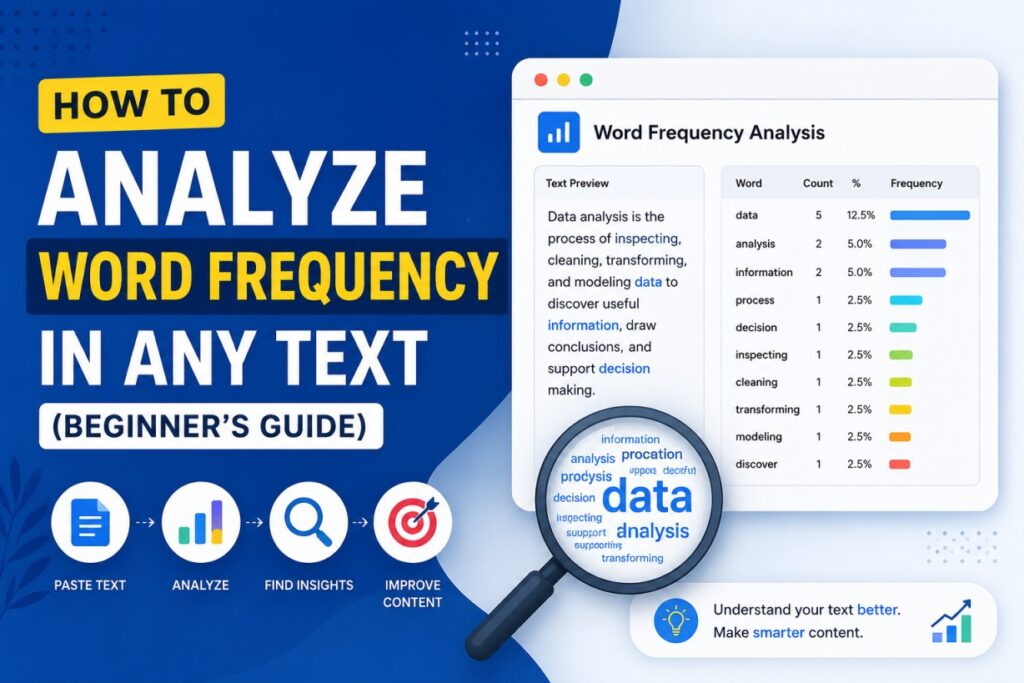
Identifying these patterns is where word frequency analysis comes in. By tracking how often specific words appear in your text, you can instantly see exactly what your writing is doing behind the scenes.
Whether you are a blogger looking to polish your prose, an SEO specialist optimizing a landing page, or a student editing a final paper, analyzing word density is one of the fastest ways to elevate your content.
Why Should You Analyze Word Frequency?
Looking at a raw block of text doesn’t always give you the full picture. Breaking your text down into pure data reveals hidden insights that a normal read-through completely misses.
1. For Writers: Eliminating Your Crutch Words
Every writer has default words they overuse when they are typing quickly. Words like very, just, actually, really, or that often creep into sentences, adding unnecessary fluff. A frequency analysis highlights these words instantly, allowing you to swap them for stronger vocabulary or cut them out entirely.
2. For SEOs: Preventing Keyword Stuffing
Search engines have grown incredibly smart. They no longer reward pages that mindlessly repeat a target keyword dozens of times. In fact, over-optimizing your content can trigger severe search penalties. Tracking your word percentages ensures that your primary and secondary keywords are distributed naturally.
3. For Content Marketers: Auditing the Core Message
If you are writing a landing page for a “financial consulting service,” but the word money appears twenty times while the word strategy only appears once, your focus might be skewed. Word counts help you verify that your text aligns perfectly with your intended messaging.
How to Analyze Text Frequency (Step-by-Step)
You don’t need a degree in data science or complex programming skills to audit your text. The most efficient way to handle this is by using a dedicated web utility.
Step 1: Prepare Your Text
Copy the exact content you want to audit. This could be a rough draft of a blog post, a competitor’s high-ranking page, a batch of customer feedback reviews, or an academic essay.
Step 2: Choose a Fast, Privacy-First Tool
Instead of manually counting words or pasting your sensitive data into platforms that track your inputs, choose a secure, browser-based tool. You can use the free Word Frequency Counter on 99Tools, which processes all your text locally in your browser’s RAM without saving your data to a server.
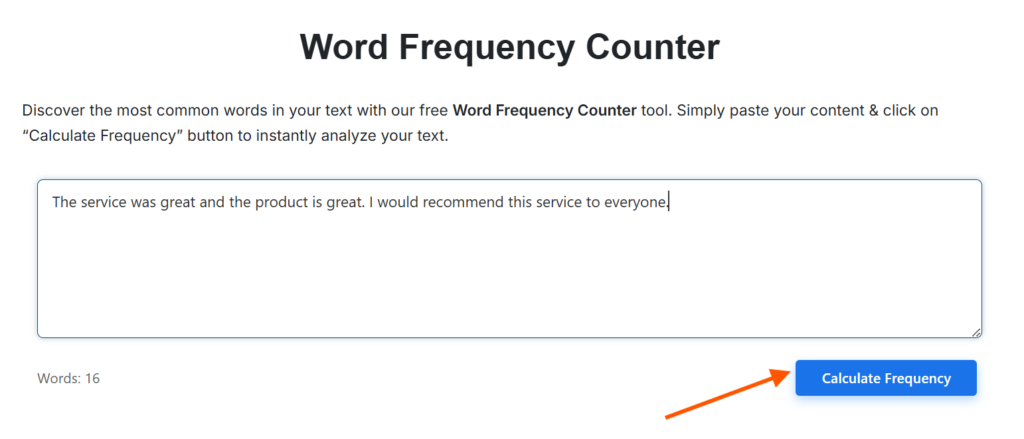
Step 3: Paste and Process
- Paste your text directly into the clean input area.
- Check the live word counter below the box to ensure your entire text successfully pasted.
- Click the blue Calculate Frequency button.
The tool will instantly analyze the text and generate a structured data table directly underneath the button.
Decoding Your Text Data
When you run the analysis, your text is broken down into a clear grid with three critical metrics:
- Word: The unique individual term extracted from your text.
- Occurrences: The exact number of times that specific word appears.
- Percentage: The relative density of the word against the total volume of the text.
Let’s look at a completely fresh, real-world example. Imagine you paste this short product description into the counter:
“This wireless mouse is a powerful mouse for gaming, and the design makes this mouse incredibly comfortable.”
The analysis tool will instantly generate a breakdown that looks like this:
| Word | Occurrences | Percentage |
| mouse | 3 | 20% |
| this | 2 | 13.33% |
| wireless | 1 | 6.67% |
| powerful | 1 | 6.67% |
| gaming | 1 | 6.67% |
| design | 1 | 6.67% |
| comfortable | 1 | 6.67% |
Looking at this chart, you can see immediately that the word mouse takes up 20% of the entire sentence. Even for a short text, that is incredibly dense. Armed with this data, you can rewrite the sentence to sound much more natural: “This wireless mouse is powerful for gaming, and its ergonomic design is incredibly comfortable.”
Actionable Steps: What to Do With Your Results
Once you have your frequency table in front of you, it’s time to put the insights into action.
1. Look Past the “Stop Words”
When you look at your results, common grammatical elements—known in the tech world as “stop words”—like the, and, is, and to will naturally cluster at the top of the list. Don’t panic; that is completely normal for standard English sentence structure.
Look right below those structural words. Are your core topic words appearing with a healthy balance? If your primary SEO keyword has a density higher than 2% to 3% in a standard blog post, consider using contextual synonyms to break up the repetition.
2. Export Your Data for Deep Editing Work
If you are managing a team of writers or working on a massive content audit, you will want to save these data points. The 99Tools counter provides two straightforward ways to export your analysis:
- Copy Text: This instantly grabs the entire structured table and copies it to your clipboard. You can paste it directly into an email, a Slack thread, or an asana ticket to give rapid, clear feedback to a writer.
- Download as CSV: If you want to run a deeper audit, downloading the file as a CSV allows you to open the results inside spreadsheet programs like Microsoft Excel or Google Sheets.
3. Advanced Spreadsheet Optimization Tips
Once your word frequency data is sitting inside a spreadsheet, you can unlock a few highly effective workflows:
- Build Visual Charts: Convert your top 10 most used words into a visual bar chart to present content optimization progress to clients or stakeholders.
- Cross-Reference Target Lists: Paste your master SEO keyword target list right next to the frequency export to verify if you successfully included all your high-value secondary variations.
- Run “Before and After” Audits: Run an analysis on your rough draft, save the CSV, edit your text, and run it again. Comparing the two files shows you exactly how much filler content you successfully removed.