Have you ever stared at a headline and wondered if “The” needs a capital letter? You’re not alone. I’ve asked myself that same question hundreds of times.
This usually comes down to one thing: title case vs. sentence case. They’re the two most common capitalization styles. And mixing them up is one of the fastest ways to make your writing look careless.
I’ve edited blog posts, app copy, and email subject lines for years. The case you choose isn’t just a small detail. It affects how easy your text is to read. It affects how professional your brand looks. It can even affect how many people click on your headline.
So let’s fix the confusion for good. Here’s what each style means, when to use it, and the fastest way to switch between them.
What Is Title Case?
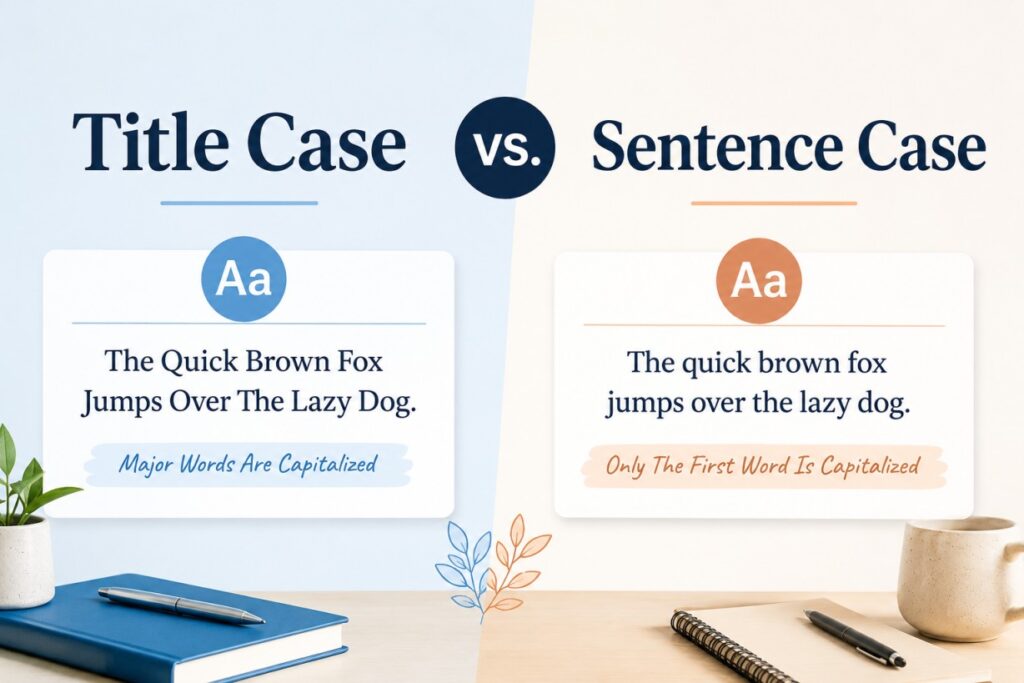
Title case capitalizes the important words in a title.
That means nouns, verbs, adjectives, adverbs, and pronouns get a capital letter. Small words like “and,” “the,” “of,” and “in” usually stay lowercase. The exception is when one of those small words starts or ends the title.
Example:
The Best Way to Improve Your Writing Skills
Look closely. “To” stays lowercase. It’s a short preposition. But “Best,” “Way,” “Improve,” and “Writing” are capitalized. They carry the actual meaning of the sentence.
You’ll see title case in:
- Book and movie titles
- Academic paper titles
- Print headlines and magazine covers
- Formal business documents
- Some blog titles, depending on the publication’s style
What Is Sentence Case?
Sentence case is simpler. It’s also how most of us write naturally, without thinking about it.
You capitalize the first word. You capitalize proper nouns. Everything else stays lowercase.
Example:
The best way to improve your writing skills
Same words. Same meaning. Completely different look. Sentence case reads like normal speech. That’s a big reason it has become the standard across the web.
You’ll see sentence case in:
- Website buttons, menus, and form labels
- Modern blog headlines, especially on platforms like Medium or Substack
- Slack messages and internal docs
- Everyday writing, like emails and reports
Title Case vs. Sentence Case: The Key Differences
| Feature | Title Case | Sentence Case |
|---|---|---|
| Capitalization | Most major words capitalized | Only the first word and proper nouns |
| Visual tone | Formal and traditional | Casual and conversational |
| Common use | Book titles, print headlines, academic papers | Web UI, blog titles, everyday writing |
| Reading speed | Slightly slower to scan | Faster and easier to read |
| Style guide rules | Strict, and they vary by guide | Simple, just normal grammar rules |
That reading-speed difference is real, not just a feeling. Typography research has found that mixed-case text is easier to scan than text where every word starts with a capital. Word shapes become harder to recognize when every letter is capitalized.
This is one reason sentence case has taken over in apps and websites. It’s not only a style trend. It actually helps people read faster.
When to Use Title Case
Title case still matters. It signals formality. It signals tradition. Use it for:
1. Book, movie, and creative titles: Think “To Kill a Mockingbird” or “The Shawshank Redemption.” This is pure convention. Breaking it looks like a typo, not a style choice.
2. Academic and formal documents: Research papers, theses, and official reports almost always use title case for headings. This is especially true under APA or MLA formatting.
3. Print publications and traditional media: Newspapers and magazines have used title case for decades, especially under AP style. It signals authority.
4. Formal business materials: Proposals, white papers, and official announcements often use title case. It reads as more official.
When to Use Sentence Case
Sentence case has become the default online. It feels human. It feels less like a corporate memo. Use it for:
1. Website and app interfaces: Buttons, menus, error messages, and tooltips. Most major design systems, including Google’s Material Design, now recommend sentence case. It’s faster to scan and feels less like shouting.
2. Modern blog and article headlines: Many publications have shifted to sentence case. It feels more conversational. It feels less like an ad.
3. Emails and internal communication: Sentence case is just normal. It’s how people actually write. It feels more personal.
4. Accessibility-focused content: Some readers use screen readers. Some have visual or cognitive differences that make reading harder. Predictable capitalization, where not every word is capitalized, tends to be easier for them to follow.
Why Style Guides Don’t Agree on Title Case
Here’s where it gets messy. Even style guides can’t agree on the exact rules for title case.
- AP style, common in journalism, capitalizes words with four or more letters. Shorter words stay lowercase.
- Chicago style capitalizes most words. It lowercases articles, conjunctions, and prepositions, no matter their length.
- APA style, common in academic writing, capitalizes words with four or more letters, plus all nouns, verbs, adjectives, adverbs, and pronouns, regardless of length.
- MLA style is close to Chicago, but it has its own quirks for certain prepositions.
If you write for a specific publication or school, check their style guide first. “Correct” title case isn’t actually one fixed thing.
This is also the main reason most people stop trying to memorize the rules. They just use a tool instead.
How to Convert Between Title Case and Sentence Case
The Manual Method
For a single sentence, doing it by hand is fine.
Sentence case to title case: Capitalize the first letter of every major word. That means nouns, verbs, adjectives, adverbs, and pronouns. Keep short articles, conjunctions, and prepositions lowercase, unless they start or end the title.
Title case to sentence case: Lowercase everything except the first word and any proper nouns, like names, places, or brand names.
This works fine for one line of text. But it breaks down fast with longer content.
Say you have a spreadsheet of 200 product titles. Or a list of blog headlines pulled from old content. Or text copied from a PDF that came out in ALL CAPS NONSENSE. Manually fixing each one takes forever, and it’s easy to miss a proper noun or a small exception.
The Faster Method: Use a Converter Tool
This is where a converter tool actually saves time. You paste your text in. It handles the capitalization rules for you, including the tricky exceptions like articles and proper nouns.
If you’re formatting a headline, book title, or formal heading, a Title Case Converter applies the right capitalization rules automatically. You don’t have to remember which prepositions stay lowercase.
If you’re cleaning up UI copy, fixing text pasted in as ALL CAPS, or want that clean, modern look for a blog title, a Sentence Case Converter handles it in seconds. No retyping. No second-guessing.
The time savings really show up when you’re working in bulk. Think of cleaning up a spreadsheet of product names, or standardizing headlines across an entire blog archive. A tool turns a two-hour task into a two-minute one.
Common Mistakes to Avoid
1. Mixing styles on the same page: Nothing looks less polished than a site where some headlines use title case and others use sentence case. Pick one. Stick with it everywhere.
2. Capitalizing short prepositions in title case: “A Guide To Writing Better” should be “A Guide to Writing Better.” It’s a small word, but it changes how polished the title looks.
3. Forgetting proper nouns in sentence case: Sentence case still needs proper nouns capitalized. “i love using google docs” should be “I love using Google Docs.”
4. Skipping the capital after a colon: In title case, the word right after a colon is usually capitalized, no matter what type of word it is. This one trips up a lot of writers.
5. Being inconsistent with hyphenated words: In title case, most guides capitalize both halves of a hyphenated word. So it’s “Self-Care,” not “Self-care.” Double-check this against your specific style guide, since it does vary.
Quick Reference Cheat Sheet
- Title case: Capitalize the major words. Example: “How to Write a Great Blog Post”
- Sentence case: Capitalize only the first word and proper nouns. Example: “How to write a great blog post”
- Not sure which to use? Check your organization’s style guide. If there isn’t one, sentence case is the safer modern default for web content.
- Working with a lot of text? Skip the manual edits. Use a converter tool instead.
Frequently Asked Questions
Is title case or sentence case better for SEO?
Neither one directly affects rankings. But sentence case headlines often feel more natural and clickable in search results, which can help your click-through rate.
Which one should I use for blog titles?
It depends on your brand voice. Title case feels traditional and authoritative. Sentence case feels modern and conversational. Many newer blogs default to sentence case.
Should email subject lines use title case or sentence case?
Sentence case is usually the better choice. It reads as more personal, and less like a mass marketing blast.
What about buttons and menus inside an app?
Sentence case is the current standard for most software interfaces. It’s faster for users to scan.
Final Thoughts
There’s no single “correct” answer between title case and sentence case. It depends on your context, your audience, and your brand.
Title case still fits formal, academic, and print contexts well. Sentence case fits digital, modern, and conversational writing.
What matters most is consistency. Pick a style and use it everywhere. And if you’d rather skip the manual capitalization rules altogether, a quick Title Case Converter or Sentence Case Converter will do the work for you in seconds.