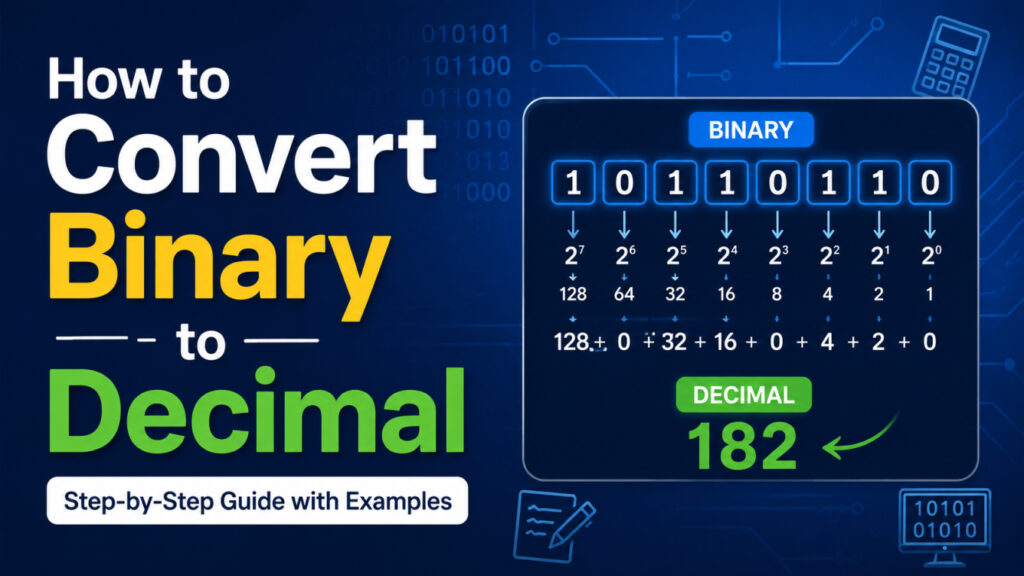
If you’ve ever stared at a string of 1s and 0s and wondered what it actually means, you’re not alone. Binary looks intimidating at first. But once you understand the logic behind it, converting binary to decimal becomes almost automatic.
In this guide, you’ll learn how binary numbers work, how to convert them to decimal by hand, and how to check your work quickly when you’re short on time. By the end, you’ll be able to look at a binary number like 1011 and know right away that it equals 11.
Let’s start from the beginning.
What Is Binary, and Why Do We Need to Convert It?
Binary is a number system that uses only two digits: 0 and 1. That’s it. No 2s, no 9s, nothing else.
Decimal, the number system you use every day, has ten digits (0 through 9). Computers don’t use decimal internally. They use binary, because at the hardware level, everything comes down to electrical signals that are either on or off. On is represented as 1. Off is represented as 0.
So when your computer stores a file, runs a program, or sends data over a network, it’s manipulating long strings of 1s and 0s behind the scenes. Humans, on the other hand, think in decimal. We grew up counting on ten fingers, not two.
That’s why conversion matters. Programmers debugging code, network engineers configuring IP addresses, and students studying computer science all need to translate binary values into decimal so the numbers actually make sense to them.
Binary isn’t only used for numbers, either. It’s also the foundation for how computers store letters and symbols. If you’ve ever wondered how a keyboard press turns into readable text on your screen, it comes down to the same binary logic. You can see exactly how computers convert text into binary if you want the full picture.
Understanding Place Value in Binary (The Foundation)
Before converting anything, you need to understand place value. This one concept makes everything else click.
In decimal, each digit’s position represents a power of 10. Take the number 342.
- The 3 is in the hundreds place: 3 × 100 = 300
- The 4 is in the tens place: 4 × 10 = 40
- The 2 is in the ones place: 2 × 1 = 2
Add those up: 300 + 40 + 2 = 342. That’s place value in action, and you’ve been doing this math in your head your whole life without thinking about it.
Binary works the exact same way, except each position represents a power of 2 instead of a power of 10. Reading from right to left, the place values are:
| Position (right to left) | Power of 2 | Value |
|---|---|---|
| 1st | 2⁰ | 1 |
| 2nd | 2¹ | 2 |
| 3rd | 2² | 4 |
| 4th | 2³ | 8 |
| 5th | 2⁴ | 16 |
| 6th | 2⁵ | 32 |
| 7th | 2⁶ | 64 |
| 8th | 2⁷ | 128 |
Notice the pattern. Each value simply doubles as you move one position to the left. Once this table is second nature, converting any binary number becomes a matter of addition.
The Manual Method: Step-by-Step Binary to Decimal Conversion
Here’s the exact process, broken into four simple steps.
Step 1: Write down the binary number. Let’s use 1011 as our example.
Step 2: Assign place values to each digit, right to left. Working from right to left, the positions are 1, 2, 4, and 8.
Step 3: Multiply each bit by its place value. Only multiply the positions where the digit is 1. Any position with a 0 contributes nothing.
Step 4: Add up the results. That sum is your decimal number.
Worked Example 1: Converting 1011 to Decimal
| Bit | 1 | 0 | 1 | 1 |
|---|---|---|---|---|
| Place value | 8 | 4 | 2 | 1 |
| Result | 8 | 0 | 2 | 1 |
Add the results: 8 + 0 + 2 + 1 = 11
So 1011 in binary equals 11 in decimal.
Worked Example 2: Converting 11010110 to Decimal
Longer binary numbers work exactly the same way. You just have more positions to track.
| Bit | 1 | 1 | 0 | 1 | 0 | 1 | 1 | 0 |
|---|---|---|---|---|---|---|---|---|
| Place value | 128 | 64 | 32 | 16 | 8 | 4 | 2 | 1 |
| Result | 128 | 64 | 0 | 16 | 0 | 4 | 2 | 0 |
Add the results: 128 + 64 + 16 + 4 + 2 = 214
So 11010110 in binary equals 214 in decimal.
An Alternative: The Doubling Method
Some people prefer this technique because it doesn’t require memorizing powers of 2 in advance.
Start with 0. For each bit, from left to right, double your current total and then add the bit.
Let’s try it on 1011 again:
- Start: 0
- First bit is 1 → (0 × 2) + 1 = 1
- Second bit is 0 → (1 × 2) + 0 = 2
- Third bit is 1 → (2 × 2) + 1 = 5
- Fourth bit is 1 → (5 × 2) + 1 = 11
Same answer: 11. Use whichever method clicks better for your brain. Both get you to the same place.
Common Mistakes to Avoid
A few small errors trip up most beginners. Watch out for these:
- Counting positions from the wrong end. Binary place values start from the right, not the left. The rightmost digit is always 2⁰.
- Forgetting that the rightmost bit equals 1, not 0. Any number to the power of 0 equals 1, including 2⁰.
- Mixing up binary with other number systems. Binary is base-2. Octal is base-8. Hexadecimal is base-16. They look similar on paper but follow different rules entirely.
- Skipping the zeros. It’s tempting to ignore 0s in the binary number, but you still need to count that position when assigning place values to the digits after it.
Once you’re aware of these, they’re easy to avoid.
Quick Reference: Binary to Decimal Conversion Table
Bookmark this table. It covers every 4-bit binary combination and its decimal equivalent, which covers most values you’ll run into while learning.
| Binary | Decimal | Binary | Decimal |
|---|---|---|---|
| 0000 | 0 | 1000 | 8 |
| 0001 | 1 | 1001 | 9 |
| 0010 | 2 | 1010 | 10 |
| 0011 | 3 | 1011 | 11 |
| 0100 | 4 | 1100 | 12 |
| 0101 | 5 | 1101 | 13 |
| 0110 | 6 | 1110 | 14 |
| 0111 | 7 | 1111 | 15 |
The Fast Way: Using an Online Binary to Decimal Converter
Manual conversion is a great way to actually understand what’s happening. But once you’re working with longer binary strings, or converting numbers frequently, doing the math by hand gets slow and it’s easy to make a small mistake that throws off the whole result.
That’s where a tool like the binary to decimal converter on 99tools comes in handy. It’s built for exactly this situation: you already understand the logic, but you just want the answer quickly and without the risk of a typo in your math.
Here’s how to use it:
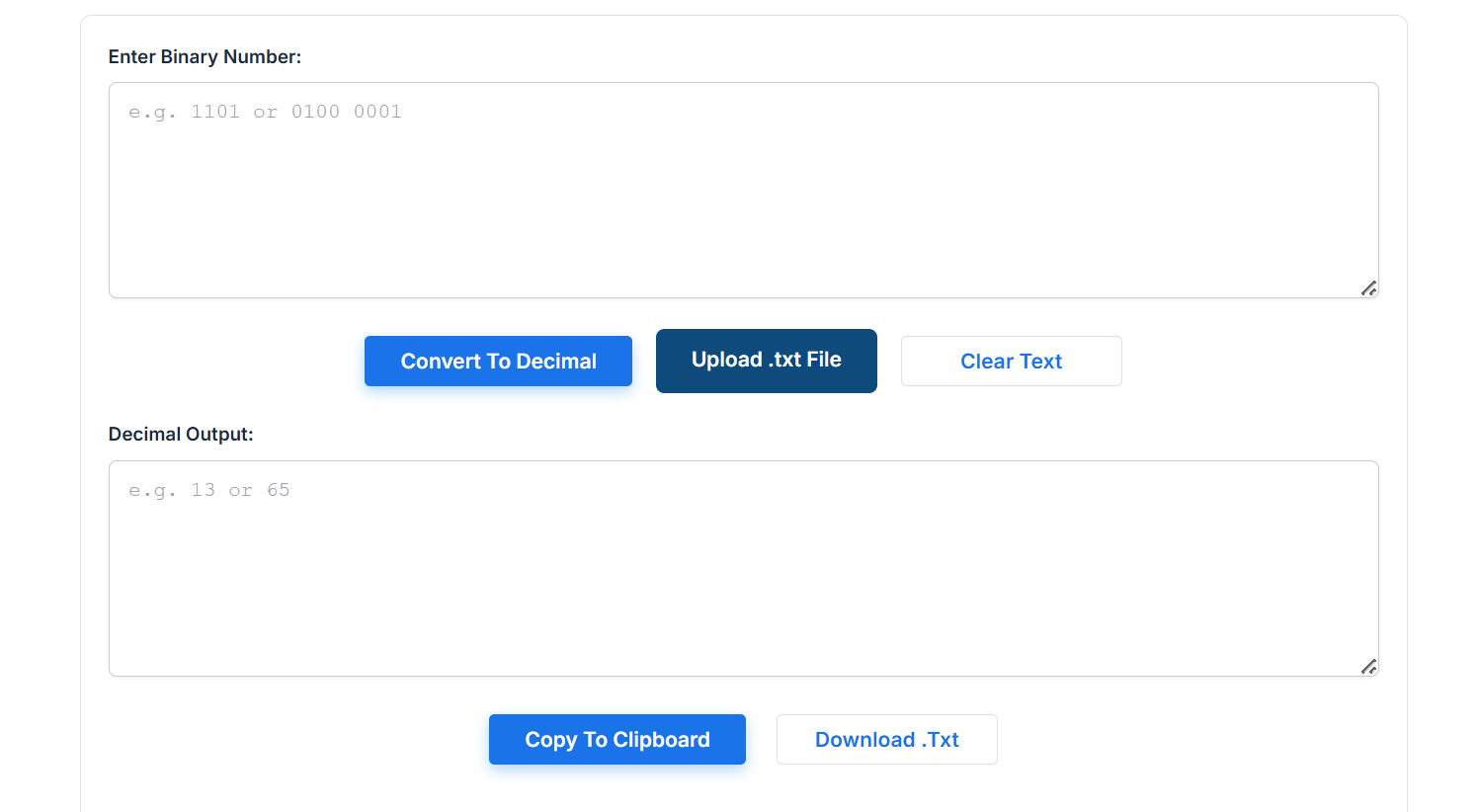
- Open the converter tool in your browser.
- Type or paste your binary number into the input field. Make sure it only contains 0s and 1s.
- Click “Convert.”
- Read the decimal result, which appears instantly.
- Copy the result if you need it elsewhere, or clear the field to convert another number.
It’s a good habit to run your manual calculations through a converter while you’re still learning. If your hand-calculated answer matches the tool’s output, you know your understanding of place value is solid.
Binary Conversion in Real-World Applications
Binary to decimal conversion isn’t just a classroom exercise. It shows up in several practical fields:
Programming. Low-level languages and systems programming often require you to read binary or hexadecimal values, especially when working with bitwise operations, memory addresses, or flags.
Networking. IP addresses and subnet masks are built on binary logic. Understanding binary helps you figure out how many devices a network can support or how subnetting actually divides a range of addresses.
Digital electronics. Logic gates, microcontrollers, and memory addressing all operate on binary signals. Anyone working with circuits or embedded systems runs into binary constantly.
If you’re just getting comfortable with binary notation itself, it helps to first get solid on the basics. This guide on how to read and write binary code is a good next step before diving deeper into these applications.
Practice Problems (With Answers)
Try converting these binary numbers to decimal on your own before checking the answers below.
10111011011011001100111111
Answers:
101= 4 + 0 + 1 = 51101= 8 + 4 + 0 + 1 = 1310110= 16 + 0 + 4 + 2 + 0 = 2211001100= 128 + 64 + 0 + 0 + 8 + 4 + 0 + 0 = 204111111= 32 + 16 + 8 + 4 + 2 + 1 = 63
How did you do? If any of these didn’t match, go back through the place value table and try again. It usually just takes one or two practice rounds before it clicks.
Frequently Asked Questions
What’s the fastest way to convert binary to decimal?
For quick, one-off conversions, an online converter saves the most time. For learning the concept properly, the manual place-value method is worth doing by hand at least a few times.
Can negative binary numbers be converted the same way?
Not exactly. Negative binary numbers typically use a system called two’s complement, which involves a few extra steps beyond simple place value addition.
What’s the difference between binary, decimal, hexadecimal, and octal?
They’re all number systems, just with different bases. Binary is base-2 (0-1), octal is base-8 (0-7), decimal is base-10 (0-9), and hexadecimal is base-16 (0-9 and A-F).
Is there a formula for binary to decimal conversion?
Yes. Multiply each bit by 2 raised to the power of its position (counting from 0 on the right), then add all the results together.
Wrapping Up
Binary to decimal conversion comes down to one core idea: place value. Once that concept is solid, the rest is just multiplication and addition.
Practice with a few numbers by hand until it feels natural, then keep the reference table above handy for whenever you need a quick refresher. And when you’re working with longer binary strings or just want to double-check your work, a conversion tool is there to make things faster.