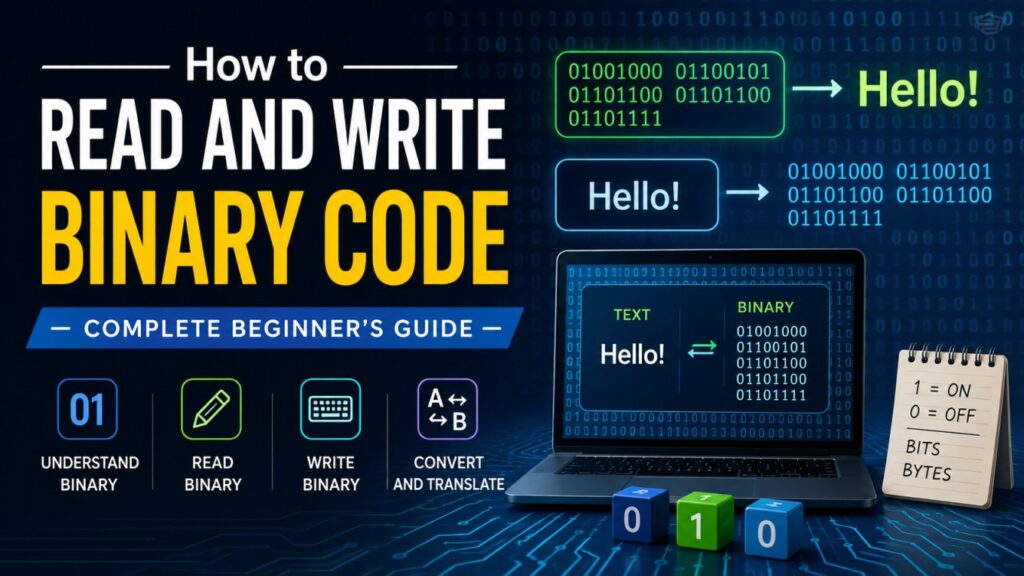
Look at this: 01000111 01001111
It looks like nonsense. Two blocks of 0s and 1s, no letters, no clues. But once you know how to read binary, that string says something. By the end of this guide, you’ll be able to decode it yourself — no calculator, no app, just your own brain.
Binary is the language every computer, phone, and website speaks underneath all the buttons and screens you actually see. You don’t need to be a programmer to understand it. You just need someone to walk you through the logic once. That’s what this guide does.
Here’s what you’ll be able to do by the time you finish reading:
- Read any binary number and know what it means in plain decimal
- Write your own binary numbers from scratch
- Decode binary back into letters and words
- Avoid the mistakes almost every beginner makes
- Know where binary actually shows up in the real world
Let’s start with the basics.
What Is Binary Code?
Binary is a number system. That’s it. Nothing mysterious.
You already know one number system: decimal, or base-10. It uses ten digits — 0 through 9. When you run out of digits, you add a new column. After 9 comes 10. After 99 comes 100.
Binary works the exact same way, except it only has two digits: 0 and 1. That’s why it’s called base-2. When you run out of digits (which happens fast, since there are only two), you add a new column, just like decimal does.
Why only two digits? Because of how computers are built.
Inside every computer are billions of tiny electronic switches called transistors. Each switch has exactly two states: on or off. There’s no “half on.” No in-between. Engineers decided decades ago that “on” would represent 1, and “off” would represent 0. Binary wasn’t chosen because it’s elegant — it was chosen because it matches how the hardware physically works.
A single 0 or 1 is called a bit (short for “binary digit”). Group eight bits together, and you get a byte. A byte can represent 256 different values, which is more than enough to cover every letter, number, and symbol on your keyboard.
Here’s decimal 0 through 10, side by side with binary:
| Decimal | Binary |
|---|---|
| 0 | 0000 |
| 1 | 0001 |
| 2 | 0010 |
| 3 | 0011 |
| 4 | 0100 |
| 5 | 0101 |
| 6 | 0110 |
| 7 | 0111 |
| 8 | 1000 |
| 9 | 1001 |
| 10 | 1010 |
Notice the pattern? Every time the count “overflows” what the current digits can hold, a new column gets added on the left. Same as decimal, just with a smaller alphabet.
How to Read Binary Code (Binary to Decimal)
Reading binary comes down to one idea: place value.
In decimal, each column is worth ten times the column to its right. Ones, tens, hundreds, thousands.
In binary, each column is worth two times the column to its right. And because we’re dealing with powers of 2, the columns look like this (reading right to left):
128 64 32 16 8 4 2 1
These are just powers of 2: 2⁰, 2¹, 2², 2³, and so on. Memorize this row. It’s the single most useful thing in this entire guide.
Here’s how you read any 8-bit binary number:
- Write the power-of-2 values above each bit.
- For every bit that’s a 1, keep its column value. For every bit that’s a 0, ignore it.
- Add up what’s left.
Worked Example 1
Let’s decode 01000111.
128   64   32   16   8   4   2   1
 0     1    0    0   0  1  1  1
Only the columns with a 1 count:
64 + 4 + 2 + 1 = 71
So 01000111 equals 71 in decimal. (Hang onto that number — it matters in a few sections.)
Worked Example 2
Now try 10110010.
128   64   32   16   8   4   2   1
 1     0    1    1   0  0  1  0
Add the columns with a 1:
128 + 32 + 16 + 2 = 178
That’s the whole method. No shortcuts needed — just line up the columns and add.
Mistakes Beginners Make Here
- Reading left to right instead of right to left. The rightmost bit is always the “1s” column, not the leftmost.
- Forgetting leading zeros.
00000101and101represent the same value (5). The zeros in front don’t change anything — they’re just padding to fill out a full byte. - Mixing up which bit is “on.” A 1 means “count this column.” A 0 means “skip it.” It’s easy to get this backwards when you’re tired.
How to Write Binary Code (Decimal to Binary)
Reading binary starts with a number and finds its meaning. Writing binary does the opposite — you start with a decimal number and need to find its binary form. The cleanest way to do this by hand is the divide-by-2 method.
Here’s the process:
- Divide your number by 2.
- Write down the remainder (it’ll be 0 or 1).
- Take the result (ignoring the remainder) and divide by 2 again.
- Repeat until you reach 0.
- Read the remainders from bottom to top. That’s your binary number.
Worked Example
Let’s convert 100 to binary.
| Step | Division | Result | Remainder |
|---|---|---|---|
| 1 | 100 ÷ 2 | 50 | 0 |
| 2 | 50 ÷ 2 | 25 | 0 |
| 3 | 25 ÷ 2 | 12 | 1 |
| 4 | 12 ÷ 2 | 6 | 0 |
| 5 | 6 ÷ 2 | 3 | 0 |
| 6 | 3 ÷ 2 | 1 | 1 |
| 7 | 1 ÷ 2 | 0 | 1 |
Read the remainders bottom to top: 1100100
Check it against the place-value method: 64 + 32 + 4 = 100. It matches.
A Faster Mental Trick for Small Numbers
For numbers under 16, you can often just eyeball it using the power-of-2 row: 8, 4, 2, 1.
Want to write 13 in binary? Ask yourself: does 8 fit into 13? Yes, with 5 left over. Does 4 fit into 5? Yes, with 1 left over. Does 2 fit into 1? No. Does 1 fit into 1? Yes.
That gives you 8+4+0+1 = 1101.
It takes practice, but for small numbers, it’s faster than long division.
How Binary Represents Letters and Text (ASCII)
So far, binary has just meant numbers. But your keyboard doesn’t only type numbers — it types letters, punctuation, and symbols. So how does a computer store the letter “A” using only 0s and 1s?
The answer is a system called ASCII (American Standard Code for Information Interchange). ASCII is basically a giant lookup table that assigns every letter, digit, and common symbol a specific number between 0 and 127. Once a letter has a number, that number can be written in binary just like any other number.
Here’s a small slice of the ASCII table:
| Character | Decimal | Binary |
|---|---|---|
| A | 65 | 01000001 |
| B | 66 | 01000010 |
| G | 71 | 01000111 |
| H | 72 | 01001000 |
| I | 73 | 01001001 |
| O | 79 | 01001111 |
Notice 01000111 in that table? That’s the same string from the very beginning of this guide, and you already worked out it equals 71. Look it up: 71 is “G.”
The second block, 01001111, equals 79 — which is “O.”
Put them together: G-O. That mystery string at the top of this article just says “GO.”
That’s the whole trick behind reading binary text: decode each 8-bit chunk into a decimal number, then match that number to its ASCII letter.
What about emojis, accented letters, or non-English characters? Plain ASCII only covers 128 characters, which isn’t enough for every language and symbol in the world. Modern systems use an extended version called Unicode (most commonly the UTF-8 format), which can represent way more characters, including emoji. The underlying idea is identical — every character still maps to a number, and that number still gets written in binary. UTF-8 just uses more bits for characters outside the basic set.
Practice Section: Try It Yourself
Grab a pen and paper. Don’t skip this — reading about binary and actually doing it are two different skills.
- Convert 45 to binary.
- What is
1011in decimal? - Convert 25 to binary.
- Decode
01001010using the ASCII table logic above. What letter is it? - Convert 200 to binary.
Work through them using the methods above before checking your answers.
Answers:
- 45 =
101101 1011= 11- 25 =
11001 01001010= 74 = “J”- 200 =
11001000
If you got most of these right, you understand binary better than most people who’ve heard the word before. If you got stuck, re-read the place-value section — it’s the foundation everything else builds on.
The Faster Way: Converting Binary Instantly
Manual conversion is how you actually learn binary. It builds the intuition you need to spot patterns, catch errors, and understand what’s happening under the hood. That part isn’t optional if your goal is to genuinely understand this stuff.
But once you understand the logic, doing long division by hand every single time isn’t a great use of your time — especially with longer numbers or full sentences of text. This is where a conversion tool comes in handy, not as a replacement for the skill, but as a way to move faster and double-check your own work.
One option is the binary code translator, which converts between text, decimal numbers, and binary instantly.
How to Use Binary Code Translator
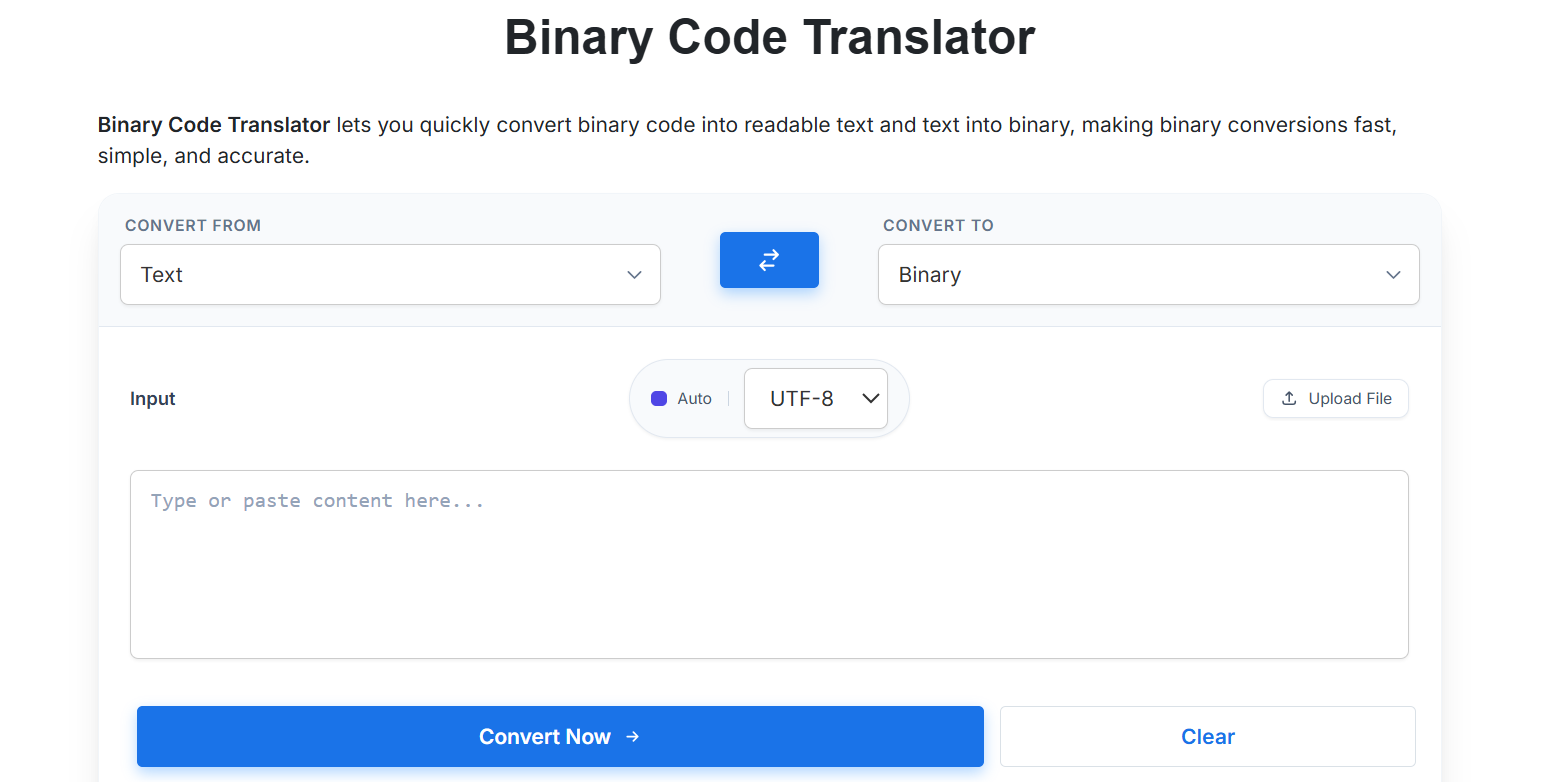
Converting text to binary or binary to text is quick and easy with the Binary Code Translator. Follow these simple steps below.
Step 1: Open the Binary Code Translator
Visit the Binary Code Translator tool.
Step 2: Choose the Conversion Type
At the top of the tool, select:
- Convert From – Choose Text or Binary.
- Convert To – Choose the format you want to convert into.
For example:
- Text → Binary
- Binary → Text
Step 3: Enter Your Content
Type or paste your text or binary code into the Input box.
You can also click Upload File if you want to convert content from a text file instead of entering it manually.
Step 4: Select the Encoding (Optional)
Choose the appropriate character encoding from the dropdown, such as UTF-8 or ASCII.
For most users, the default UTF-8 option works perfectly.
Step 5: Click Convert Now
Once everything is ready, click the Convert Now button.
The tool will instantly process your input and generate the translated output.
Step 6: View the Result
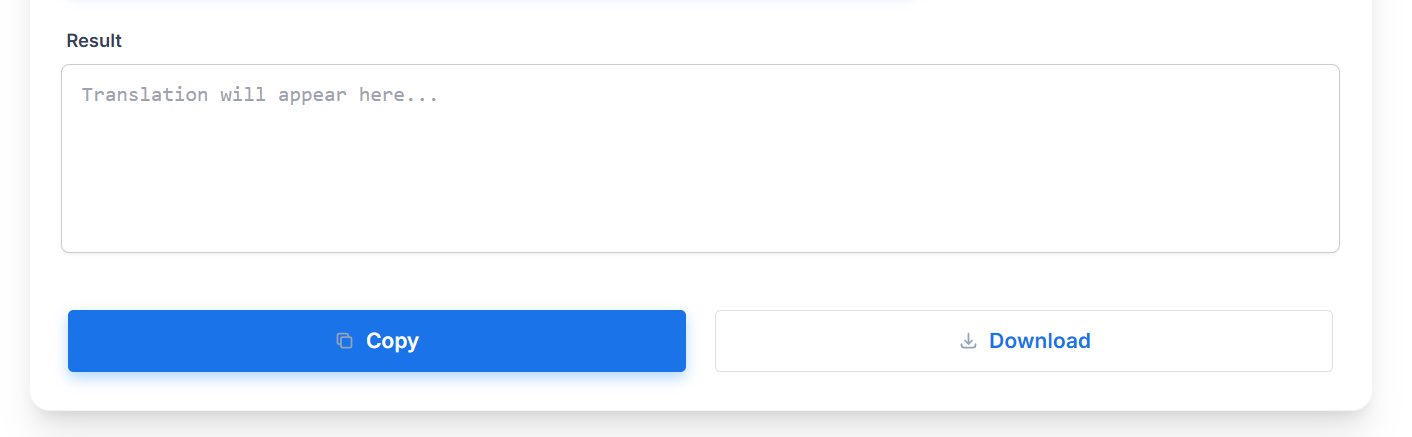
The converted text or binary code will appear in the Result section below the input area.
Review the output to ensure the conversion is correct.
Step 7: Copy or Download the Result
After the translation is complete, you can:
- Click Copy to copy the output to your clipboard.
- Click Download to save the result as a text file on your device.
Real-World Uses of Binary Code
Binary isn’t just a classroom exercise. It shows up constantly, usually without you noticing.
Networking. Every IP address you connect to is, underneath the dotted numbers you see (like 192.168.1.1), stored and processed in binary. Subnet masks — the rules that decide which devices belong to which network — are pure binary logic applied to those addresses.
File sizes. When your phone tells you a photo is “3.2 MB,” that measurement is built on binary math. A kilobyte, megabyte, and gigabyte are all defined in powers of 2 (1,024 rather than a clean 1,000), because binary is the native counting system of computer memory.
Web design and color codes. Every color you see on a website is built from red, green, and blue values, each ranging from 0–255. That range exists specifically because 255 is the largest number you can represent with 8 bits (one byte) — 11111111 in binary.
Logic circuits. At the deepest level, your computer’s processor is just an enormous network of switches making decisions based on combinations of 1s and 0s. Every calculation, every button click, every loaded webpage eventually reduces to binary logic running through physical hardware.
You don’t need to master any of these fields to appreciate the point: binary isn’t an abstract classroom topic. It’s the layer everything digital is built on top of.
Common Binary Mistakes Beginners Make
A quick recap of the traps that catch almost everyone starting out:
- Reading direction confusion. The rightmost bit is always the smallest value (the “1s” column). Reading left to right as if it were normal text will give you the wrong answer.
- Treating binary math like decimal math. In binary, 1 + 1 doesn’t equal 2 — it equals 10 (which is “2” in binary form). The carrying rules are different because the base is different.
- Confusing ASCII binary with plain numeric binary.
01000111isn’t “the number 1,000,111.” It’s eight separate bits that together represent one decimal value (71), which then maps to a letter (G). Keeping “binary as a number” and “binary as encoded text” mentally separate will save you a lot of confusion.
Quick-Reference Cheat Sheet
Decimal 0–20 in binary
| Decimal | Binary | Decimal | Binary |
|---|---|---|---|
| 0 | 0000 | 11 | 1011 |
| 1 | 0001 | 12 | 1100 |
| 2 | 0010 | 13 | 1101 |
| 3 | 0011 | 14 | 1110 |
| 4 | 0100 | 15 | 1111 |
| 5 | 0101 | 16 | 10000 |
| 6 | 0110 | 17 | 10001 |
| 7 | 0111 | 18 | 10010 |
| 8 | 1000 | 19 | 10011 |
| 9 | 1001 | 20 | 10100 |
| 10 | 1010 |
Powers of 2 (up to 256)
1, 2, 4, 8, 16, 32, 64, 128, 256
Basic ASCII letters (uppercase)
| Letter | Decimal | Binary |
|---|---|---|
| A | 65 | 01000001 |
| B | 66 | 01000010 |
| C | 67 | 01000011 |
| D | 68 | 01000100 |
| E | 69 | 01000101 |
Conclusion
Binary looks intimidating because it’s unfamiliar, not because it’s actually hard. Once you understand that it’s just a base-2 counting system — and that every column is worth double the one before it — the rest is arithmetic you already know how to do.
Practice the manual methods until they feel automatic. Read a few binary numbers by hand every day for a week, and it’ll stop feeling like a foreign language. Once you’re comfortable, keep a translator nearby for speed — but the skill lives in your head, not in the tool.
You started this guide staring at 01000111 01001111 with no idea what it meant. Now you know it says “GO.” That’s not a small thing. That’s the entire foundation binary literacy is built on.
FAQ
What is binary code in simple terms?
Binary code is a way of representing numbers, letters, and data using only two digits: 0 and 1. Computers use it because their hardware is built from switches that only have two states — on and off.
How do I convert binary to text by hand?
Break the binary into 8-bit chunks. Convert each chunk to a decimal number using place values (128, 64, 32, 16, 8, 4, 2, 1). Match each decimal number to its corresponding letter using an ASCII table.
Why do computers use 0s and 1s instead of regular numbers?
Because computer hardware is made of transistors — tiny switches that are either on or off. Binary’s two digits map perfectly onto those two physical states, which makes it the natural language of digital electronics.
Is learning binary code useful if I’m not a programmer?
Yes. Understanding binary helps you make sense of file sizes, networking basics, color codes, and how digital data works in general. It’s foundational knowledge, not just a programming skill.
What’s the difference between binary and hexadecimal?
Binary is base-2 (two digits: 0 and 1). Hexadecimal is base-16 (sixteen digits: 0–9 and A–F). Hexadecimal is often used as a shorthand for binary because one hex digit can represent exactly four binary bits, making long binary strings easier to read and write.